
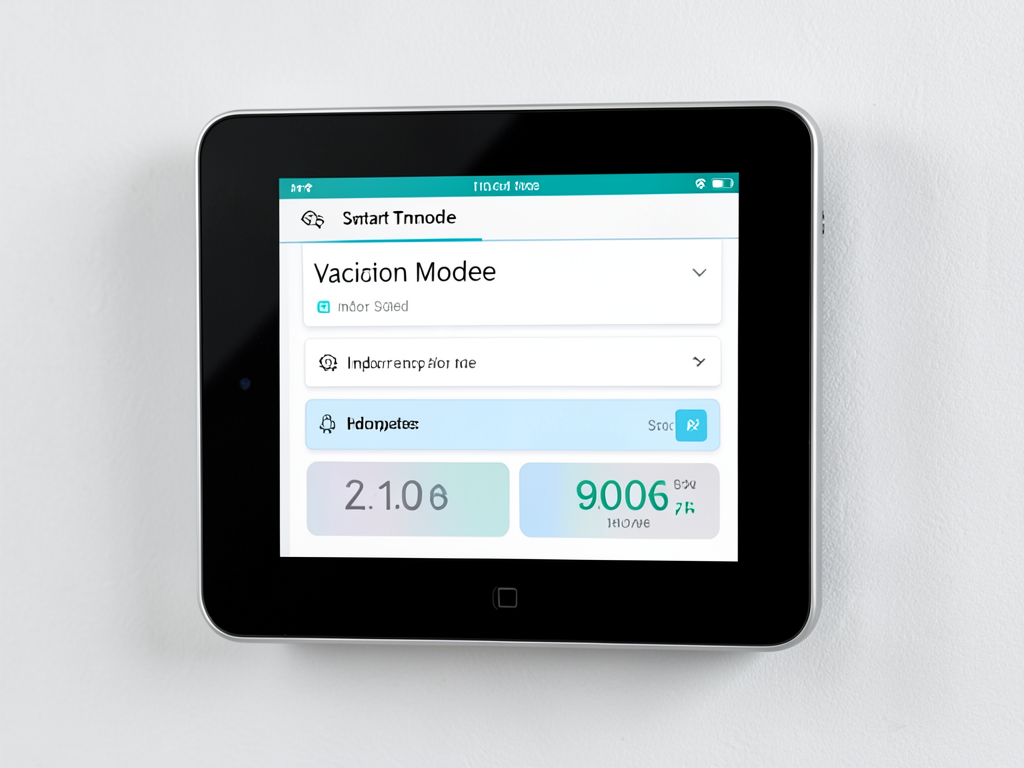
The Best Thermostat Settings for Your Dallas Home While You Head Out on Summer Vacation
Heading out for a summer vacation should be exciting not stressful. One of the biggest worries for Dallas homeowners is what to do with the air conditioning system while they’re away. Setting the thermostat too high risks mold growth and heat damage. Setting it too low wastes energy and money. Finding the right balance is critical in our North Texas climate where summer heat and humidity can wreak havoc on an empty home. Finding a Reliable Tech for Emergency AC Repair in Highland Park.
Many Dallas residents face this exact dilemma every summer. The heat here is relentless. When the outside temperature climbs above 100°F the inside of a home can quickly become an oven if the AC is off or set incorrectly. High humidity compounds the problem creating the perfect conditions for mold to grow on walls furniture and even inside air ducts. Electronics can overheat. Wood floors and furniture can warp. The goal is to protect your home while saving as much energy as possible.. Read more about The Ideal Humidity and Temperature for Better Sleep During a Muggy Dallas Night.
The Golden Rule What Temperature to Set Your AC When Away
The Department of Energy recommends setting your thermostat to 85°F when you’re away for an extended period. In Dallas however that recommendation needs adjustment. Our summer humidity often stays above 60% which means 85°F inside can still feel damp and muggy. The sweet spot for most Dallas homes is between 80°F and 82°F. This range keeps the indoor temperature comfortable enough to prevent moisture buildup while giving your AC a break from constant cooling. Department of Energy thermostat recommendations.
For example if you live in a home in East Dallas or Lakewood with older single-pane windows the higher setting might not be enough. Heat gain through those windows can push indoor temperatures higher than the thermostat setting. In that case aim for 78°F to 80°F. If your home has newer double-pane windows and good insulation you might safely go up to 82°F or even 84°F for short trips under a week. Indoor Air Quality Solutions.
The Humidity Factor Why 85° Is Only Half the Story
Temperature alone does not tell the whole story in Dallas. Relative humidity plays a huge role in indoor air quality and home safety. When humidity climbs above 60% inside your home mold spores can begin to grow within 24 to 48 hours. That is why many HVAC professionals recommend using the “auto” fan setting and enabling the AC’s dehumidification mode if available. This setting cycles the system on and off just enough to remove moisture without overcooling the space.
According to the EPA indoor relative humidity should stay between 30% and 50% for optimal comfort and health. In Dallas that often means your AC needs to run periodically even when you are away. If your thermostat has a humidity sensor use it. Set your target humidity to 50% or lower. This small adjustment can prevent musty odors warped wood and even peeling paint when you return home. EPA mold prevention guidelines.
Exceptions to the Rule Pets Plants and Electronics
Not every Dallas home is the same. If you have pets or delicate houseplants your thermostat settings need adjustment. Dogs and cats are comfortable between 75°F and 78°F. Birds and small mammals need even cooler temperatures around 70°F to 75°F. For pet owners in areas like Oak Lawn or Uptown where many apartments and townhomes have limited airflow consider setting the thermostat to 76°F to 78°F and leaving a fan running for air circulation.
Houseplants especially tropical varieties need stable conditions. Ferns orchids and peace lilies prefer temperatures between 65°F and 80°F with humidity around 50% to 60%. If you have a collection of rare plants in a home in the M Streets or Lakewood consider using a smart thermostat to monitor both temperature and humidity. Some models even allow you to adjust settings remotely if conditions change unexpectedly.
Electronics also need protection. Computers servers and home theater equipment can overheat if indoor temperatures climb too high. Most electronics are safe up to about 90°F but performance can degrade above 80°F. If you have a home office or media room in a converted attic or bonus room in areas like Richardson or Plano keep the thermostat at 78°F to 80°F to protect your gear.
Smart Thermostats The Ultimate Vacation Hack
Smart thermostats have revolutionized how Dallas homeowners manage their HVAC systems. Models from Nest Ecobee and Honeywell allow you to monitor and adjust your home’s temperature and humidity from anywhere. This is especially useful during North Texas summer when sudden storms or heatwaves can change conditions quickly.. Read more about How to Lower Your Summer Electric Bills in Garland Without Turning Off the AC.
For example if you are vacationing in Colorado and a Dallas heatwave hits your smart thermostat can send an alert if indoor temperatures rise above your set threshold. You can then adjust the settings or even turn the system on remotely. Some models integrate with weather forecasts and automatically adjust for extreme conditions. This feature is invaluable for homes in areas prone to power outages like parts of Mesquite or Garland where a brief outage can leave your home unmonitored for hours.
Smart thermostats also help with energy savings. Many models provide detailed energy reports showing how much you saved by adjusting the temperature while away. Some even integrate with Oncor’s Smart Meter Texas program to track real-time energy usage. This data can help you fine-tune settings for future trips.. Read more about Keeping Your Pets Safe and Your AC Bills Low While You’re at Work in Duncanville.
Pre-Vacation HVAC Checklist for Dallas Homeowners
Before you leave for your summer vacation take a few minutes to prepare your HVAC system. This simple checklist can prevent costly surprises when you return.
- Change the air filter. A clean filter improves airflow and efficiency. In Dallas’ dusty summer air a clogged filter can cause your system to overheat or shut down.
- Clear the condensate drain line. High humidity means your AC will pull significant moisture from the air. A clogged drain can cause water to back up and leak damaging floors and walls. Pour a cup of vinegar down the drain to prevent algae growth.
- Close blinds and curtains. This simple step reduces solar heat gain especially in homes with large south or west-facing windows common in many Dallas neighborhoods.
- Check thermostat batteries. If your thermostat is not hardwired replace the batteries to avoid losing your settings during a power flicker.
- Inspect the outdoor unit. Remove leaves grass clippings and debris from around the condenser. Ensure at least two feet of clearance for proper airflow.
- Schedule a tune-up if needed. If your system is over five years old or has had issues consider a pre-trip inspection. A quick check can catch refrigerant leaks or electrical problems before they become emergencies.
Comparing Settings by Home Type and Situation
Different Dallas homes have different needs. The following table compares recommended settings for various situations.
| Home Type / Situation | Recommended Temperature | Humidity Target | Notes |
|---|---|---|---|
| Standard home no pets | 80-82°F | 50% or lower | Ideal for most homes with good insulation |
| Home with pets | 76-78°F | 50% or lower | Keep pets comfortable and safe |
| Older home with single-pane windows | 78-80°F | 50% or lower | Higher heat gain requires cooler setting |
| Home with tropical plants | 75-78°F | 50-60% | Balance plant needs with energy savings |
| Home with sensitive electronics | 78-80°F | 50% or lower | Protect equipment from heat damage |
The Vacation Recovery Period
When you return from vacation resist the urge to crank the thermostat down to 70°F immediately. Doing so can cause your AC to run nonstop trying to cool the house too quickly. This not only increases your energy bill but can also strain the system leading to breakdowns.
Instead set the thermostat to your normal comfort temperature and let it cool gradually. For example if you normally keep your home at 75°F set it to 75°F when you return. The system will run longer at first but will stabilize within a few hours. If you have a smart thermostat you can start cooling the house an hour or two before you arrive so it is comfortable when you walk in.
For Dallas homeowners in areas with frequent power outages like parts of Mesquite or Garland a sudden power loss during your trip can reset your thermostat. When power returns the system may not return to your vacation settings. Consider using a thermostat with a battery backup or a smart model that reconnects automatically to WiFi and restores your settings.
Energy Savings and Cost Considerations
Raising your thermostat by just two degrees can save up to 10% on cooling costs according to the Department of Energy. For a typical Dallas home that could mean $20 to $40 in savings over a two-week vacation. Over a summer of regular trips those savings add up.
However the biggest savings come from combining thermostat adjustments with other strategies. Closing blinds reducing humidity and keeping the system well-maintained all contribute to lower energy use. If you are on a time-of-use electricity plan from Oncor consider setting slightly higher temperatures during peak afternoon hours when rates are highest.
Some Dallas homeowners worry that turning the AC off or setting it too high will cause the system to work harder when they return. Modern AC units are designed to handle temperature swings efficiently. The energy saved by keeping the house warmer usually outweighs any extra work needed to recool it.
Local Climate Factors to Consider
Dallas summers are unique. Our combination of high heat and humidity creates challenges that homeowners in drier climates do not face. For example a home in Phoenix can safely reach 90°F indoors without risk of mold. In Dallas that same temperature with 70% humidity creates a breeding ground for mildew and structural damage.
North Texas also experiences sudden weather changes. A cold front can drop temperatures by 20 degrees overnight but humidity often stays high. This means your AC might need to switch from cooling to dehumidifying even when outdoor temperatures feel comfortable. Smart thermostats with humidity sensors can handle these shifts automatically.
Homes in older Dallas neighborhoods like the M Streets or Lakewood often have less insulation and more air leaks than newer builds in suburbs like Frisco or Plano. If your home falls into this category you may need to set your thermostat a few degrees cooler than the standard recommendation to maintain safe humidity levels.
Final Tips for a Worry-Free Vacation
Before you lock the door and head out on your summer adventure take one last look at your HVAC plan. Set the thermostat to the right temperature for your home’s specific needs. If you have pets or plants adjust accordingly. Enable any smart features that let you monitor conditions remotely. And do not forget the simple steps like changing the filter and clearing the drain line.
If you are unsure about your home’s needs or want a professional opinion consider scheduling a pre-vacation HVAC inspection. A quick check by a licensed technician can give you peace of mind and prevent surprises when you return. For Dallas homeowners CornerStone HVAC offers fast reliable service across the metro area.
With the right preparation you can enjoy your summer vacation knowing your Dallas home is safe from the heat and humidity. Set it and forget it until you return to a cool comfortable space ready for your next adventure.
Frequently Asked Questions
What is the best temperature to set my thermostat when I’m on vacation in Dallas?
For most Dallas homes the ideal vacation setting is between 80°F and 82°F. This range balances energy savings with humidity control to prevent mold growth.
Should I turn off my AC completely while on vacation?
No. Turning off your AC in Dallas’ humid climate can lead to mold growth and heat damage. It’s better to set a higher temperature and let the system run periodically to control humidity.
How can I protect my home from humidity while I’m away?
Set your thermostat to maintain indoor humidity below 50%. Use the dehumidification mode if available and ensure your condensate drain line is clear before you leave.
Do I need to adjust settings if I have pets at home?
Yes. For dogs and cats set the thermostat between 76°F and 78°F. For birds or small mammals aim for 70°F to 75°F to keep them safe and comfortable.
Can a smart thermostat help while I’m on vacation?
Absolutely. Smart thermostats let you monitor and adjust temperature and humidity remotely. They can also send alerts if conditions change unexpectedly while you’re away.
How much can I save by adjusting my thermostat while on vacation?
Raising your thermostat by two degrees can save up to 10% on cooling costs. For a typical two-week vacation that could mean $20 to $40 in savings.
What should I do if my power goes out while I’m away?
Consider using a smart thermostat with a battery backup or automatic reconnection. This ensures your system returns to vacation settings when power is restored.
{
“@context”: “https://schema.org”,
“@type”: “BlogPosting”,
“headline”: “The Best Thermostat Settings for Your Dallas Home While You Head Out on Summer Vacation”,
“description”: “Learn the ideal thermostat settings to protect your Dallas home from heat and humidity while you’re away this summer. Expert tips from local HVAC professionals.”,
“wordCount”: 2154,
“datePublished”: “2026-05-16T08:51:00.000Z”,
“dateModified”: “2026-05-16T08:51:00.000Z”,
“inLanguage”: “en-US”,
“mainEntityOfPage”: {
“@type”: “WebPage”,
“@id”: “https://cornerstonehvacdallas.com”
},
“publisher”: {
“@type”: “LocalBusiness”,
“name”: “Cornerstone HVAC Dallas”,
“url”: “https://cornerstonehvacdallas.com”
},
“author”: {
“@type”: “Organization”,
“name”: “Cornerstone HVAC Dallas”,
“url”: “https://cornerstonehvacdallas.com”
},
“image”: {
“@type”: “ImageObject”,
“url”: “https://cornerstonehvacdallas.com/wp-content/uploads/2026/03/the-best-thermostat-settings-for-your-dallas-home-1.png”
}
}
{
“@context”: “https://schema.org”,
“@type”: “HVACBusiness”,
“name”: “Cornerstone HVAC Dallas”,
“url”: “https://cornerstonehvacdallas.com”,
“address”: {
“@type”: “PostalAddress”,
“addressLocality”: “Dallas”
},
“areaServed”: {
“@type”: “City”,
“name”: “Dallas”
}
}
{
“@context”: “https://schema.org”,
“@type”: “FAQPage”,
“mainEntity”: [
{
“@type”: “Question”,
“name”: “What is the best temperature to set my thermostat when I’m on vacation in Dallas?”,
“acceptedAnswer”: {
“@type”: “Answer”,
“text”: “For most Dallas homes the ideal vacation setting is between 80°F and 82°F. This range balances energy savings with humidity control to prevent mold growth.”
}
},
{
“@type”: “Question”,
“name”: “Should I turn off my AC completely while on vacation?”,
“acceptedAnswer”: {
“@type”: “Answer”,
“text”: “No. Turning off your AC in Dallas’ humid climate can lead to mold growth and heat damage. It’s better to set a higher temperature and let the system run periodically to control humidity.”
}
},
{
“@type”: “Question”,
“name”: “How can I protect my home from humidity while I’m away?”,
“acceptedAnswer”: {
“@type”: “Answer”,
“text”: “Set your thermostat to maintain indoor humidity below 50%. Use the dehumidification mode if available and ensure your condensate drain line is clear before you leave.”
}
},
{
“@type”: “Question”,
“name”: “Do I need to adjust settings if I have pets at home?”,
“acceptedAnswer”: {
“@type”: “Answer”,
“text”: “Yes. For dogs and cats set the thermostat between 76°F and 78°F. For birds or small mammals aim for 70°F to 75°F to keep them safe and comfortable.”
}
},
{
“@type”: “Question”,
“name”: “Can a smart thermostat help while I’m on vacation?”,
“acceptedAnswer”: {
“@type”: “Answer”,
“text”: “Absolutely. Smart thermostats let you monitor and adjust temperature and humidity remotely. They can also send alerts if conditions change unexpectedly while you’re away.”
}
},
{
“@type”: “Question”,
“name”: “How much can I save by adjusting my thermostat while on vacation?”,
“acceptedAnswer”: {
“@type”: “Answer”,
“text”: “Raising your thermostat by two degrees can save up to 10% on cooling costs. For a typical two-week vacation that could mean $20 to $40 in savings.”
}
},
{
“@type”: “Question”,
“name”: “What should I do if my power goes out while I’m away?”,
“acceptedAnswer”: {
“@type”: “Answer”,
“text”: “Consider using a smart thermostat with a battery backup or automatic reconnection. This ensures your system returns to vacation settings when power is restored.”
}
}
]
}
{
“@context”: “https://schema.org”,
“@type”: “BreadcrumbList”,
“itemListElement”: [
{
“@type”: “ListItem”,
“position”: 1,
“name”: “Home”,
“item”: “https://cornerstonehvacdallas.com”
},
{
“@type”: “ListItem”,
“position”: 2,
“name”: “Blog”,
“item”: “https://cornerstonehvacdallas.com/blog”
},
{
“@type”: “ListItem”,
“position”: 3,
“name”: “The Best Thermostat Settings for Your Dallas Home While You Head Out on Summer Vacation”
}
]
}
{
“@context”: “https://schema.org”,
“@type”: “Service”,
“serviceType”: “HVAC”,
“provider”: {
“@type”: “LocalBusiness”,
“name”: “Cornerstone HVAC Dallas”,
“url”: “https://cornerstonehvacdallas.com”
},
“areaServed”: {
“@type”: “City”,
“name”: “Dallas”
},
“description”: “Learn the ideal thermostat settings to protect your Dallas home from heat and humidity while you’re away this summer. Expert tips from local HVAC professionals.”
}